
Per-user usage limits are available on request — contact Fireworks to enable them. Only admins can change limits, and group limits additionally require SCIM group sync.
Set defaults, group limits, and exceptions
A user override takes precedence. If there is no override, the highest limit among the user’s assigned groups applies. If there are no group limits, the account default applies.
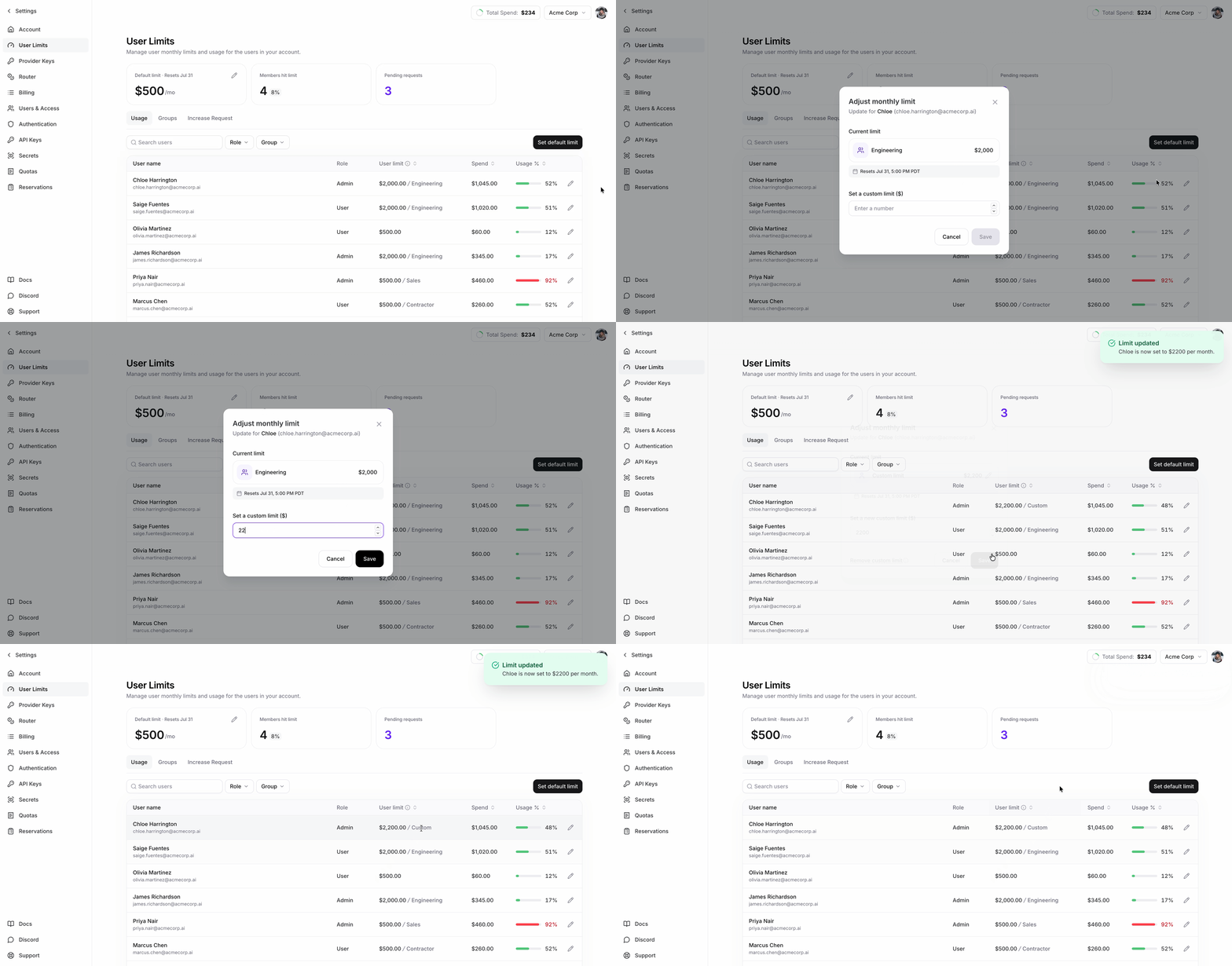
Limit precedence
A user’s effective limit is resolved in this order:- Their per-user override, if they have one.
- Otherwise, the highest cap among the group limits assigned to their groups. A group limit below the account default still wins: a group cap replaces the default rather than competing with it.
- Otherwise, the account default cap.
Group limits
A group limit is a reusable per-user cap. It does not create a shared group budget. The User Limits page calls these limit options.On a 500. The members do not share $500.
firectl and the REST API call this resource a group usage limit tier.
Where groups come from
Groups come from your identity provider through the group provisioning described in Custom SSO; that is the only way to create one. Groups and their membership are read-only in Fireworks; add, rename, delete, and populate them in your directory. The limit assignment is the one part you set in Fireworks.Group-limit constraints
Supported models
Per-user metering applies to serverless models included in the account’s metering configuration. Dedicated deployments are not included. All amounts are in USD. Usage resets at the start of each billing period.Manage limits and monitor spend
The User Limits page shows current-period spend, effective limit, and limit source for each user. Admins can set the account default, manage group limits, and set user overrides.What happens when a user reaches the limit
- Spend counted toward the limit resets at the start of each billing period.
- After a user reaches their effective limit, requests to supported Fireworks serverless models return HTTP
402. - Raising the limit or starting a new billing period allows requests to supported Fireworks serverless models again after enforcement refreshes.
- Enforcement refreshes about once per minute, so changes can take 1–2 minutes in practice.
Enforcement refreshes about once per minute. Blocking, unblocking, cap changes, group assignments, and directory membership changes can therefore take 1–2 minutes.
Limits count a user’s supported serverless usage across the account. Dedicated deployment usage is not included.
Permissions
The commands below identify any narrower permissions for individual records.
Using firectl
Account-level
Defining group limits
Group assignments
Every command accepts either a bare ID or a full resource name. For example:This is equivalent to the short form above.
Per-user
An override wins outright, so it is also how you lower a single user below their group’s limit. Unsetting it resolves the limit again: the highest assigned group cap, then the account default, or no cap if neither exists. Account admins cannot clear the account default.
Using the REST API
Create requests usePOST, updates use PATCH, and deletions use DELETE. The update examples below pass updateMask explicitly using field names from the API schema. If you omit it, the mask is derived from the fields in your request body.
Read limits
Manage group limits (admin only)
Group-limit create and update requests usegoogle.type.Money. Set currencyCode to USD; units contains whole dollars.
Assign a group limit to a group (admin only)
Assigning and clearing are both updates of the group’s usage-limits resource; there is no create or delete.Update account and user limits (admin only)
PATCH /v1/accounts/<ACCOUNT_ID>/usageLimitsto updatedefault_user_limit(account admins cannot clear it)PATCH /v1/accounts/<ACCOUNT_ID>/users/<USER_ID>/usageLimitsto setlimit_override(an unset value removes the override)